

Concept
The remediation path
Not a list of everything wrong, but the fewest changes that close every path at once, in the order that helps most.
On this page
In one sentence: the remediation path is the smallest set of changes that leaves no attack path to Tier Zero, so you can fix the few things that matter instead of chasing hundreds of findings.
Bridges, not roads
Picture every attack path as a road from the city (your users and computers) to the castle (Tier Zero). There may be thousands of roads, but they often cross the same few bridges. Close those bridges and every road is cut, however many there were.
In graph theory this is a minimum cut: the smallest set of edges whose removal disconnects one side of a network from the other. Pathwarden computes it between every exposed user and computer and Tier Zero. Even in heavily connected domains, where no single change helps on its own, the cut still gives a short and complete set of plan steps.
How the steps are chosen
- Each change has a cost. Removing a permission costs 1. Removing a logon session costs 3, because it comes back unless an admin changes how they work. Moving objects or GPO links costs 5. The cut prefers cheap, durable fixes.
- Some things can't be changed. Membership in Domain Users, or trusts within a forest, are never proposed. If someone stays exposed only through such links, Pathwarden says so.
- One change, many copies. Rights inherited from one OU, or copied by SDProp from AdminSDHolder, are removed with one change, so they count and show as one plan step.
- Most effective first. Plan steps are ranked by how many exposed users and computers have a path through them. The report's Overview calls the top one the First step.
Steps and findings
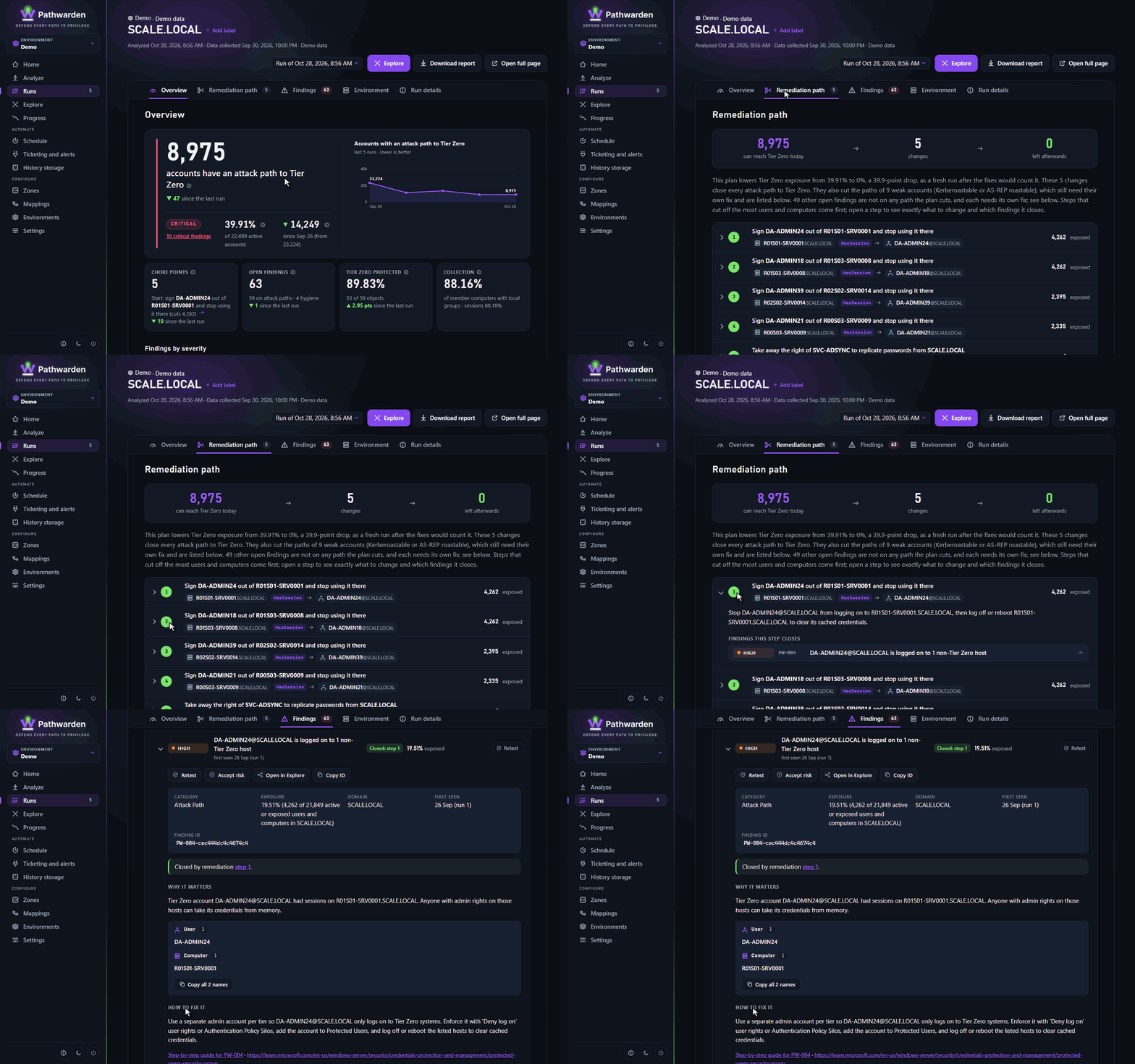
Each plan step lists what it does to your findings:
- Closed by a step: the step's change is the finding's fix. After it, the finding is gone.
- Path cut by a step: the step removes a link in the finding's example path. For a weak account (Kerberoastable, AS-REP roastable), the path is gone but the account still needs its own fix.
- Fix directly: no step closes or cuts the finding. It's a weak account inside Tier Zero, or a hygiene finding, and needs its own fix: the finding's "How to fix it", and the rule's guide in the knowledge base.
The remediation path cuts paths. It doesn't fix weak accounts or hygiene findings by itself, so work through both: the plan steps first, for the biggest drop in exposure, then the "fix directly" findings.
Choke points
A choke point is one relationship that many attack paths cross. pathwarden choke-points lists them. The remediation path already includes the ones that matter; choke points help you see why a plan step ranks first.
Using it
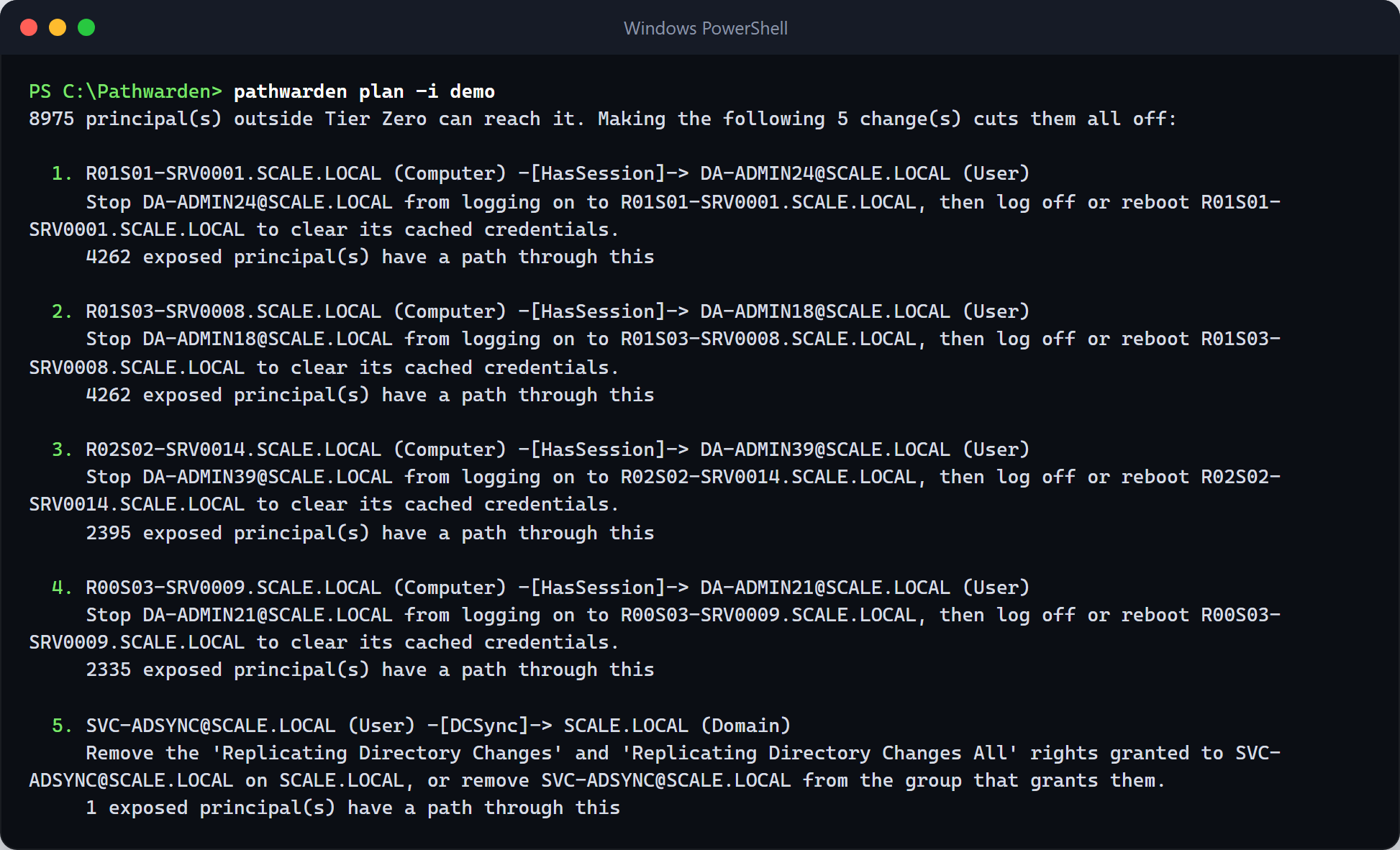
# The fewest changes that cut every exposed account off from Tier Zero
pathwarden plan -i ./collect
# The same for one Privilege Zone, on the command line only (it also includes the Tier Zero fixes)
pathwarden plan -i ./collect -c pathwarden.toml --zone "Tier 1 servers"
The HTML report has the same plan steps on its Remediation path tab, for Tier Zero. Open a plan step to see what to change and which findings it closes. After making changes, collect again and retest.
References
- Pathwarden: How it works, the remediation path
- Wikipedia: Max-flow min-cut theorem