

Use Pathwarden
From download to a domain with no paths to Tier Zero
Eight steps, each a few minutes of reading. Start with the demo, which needs nothing but the program, then point it at your own domain when you're ready.
The journey
Download
One executable for Windows, full or lean. On Linux, build it from source. Get Pathwarden
Try the demo
A synthetic company built in:
pathwarden demo, or Try the demo in the app. The demoCollect
Built-in LDAP collection* as any domain user, or SharpHound for sessions and local groups. Collecting data
Read the report
Overview, remediation path, findings and collection. Reading the report
Fix
Follow the remediation path, then each rule's step-by-step guide. The remediation path
Retest
Fixed, Still open or Can't tell, in seconds with a targeted retest* in the app or on the command line. Retest
Schedule
pathwarden runnightly, with history and regressions. Scheduled runsTickets and exports
ServiceNow* or Jira* tickets, SARIF and DefectDojo* exports, PingCastle import*. Tickets and integrations
Prefer a browser?
Everything, without the command line
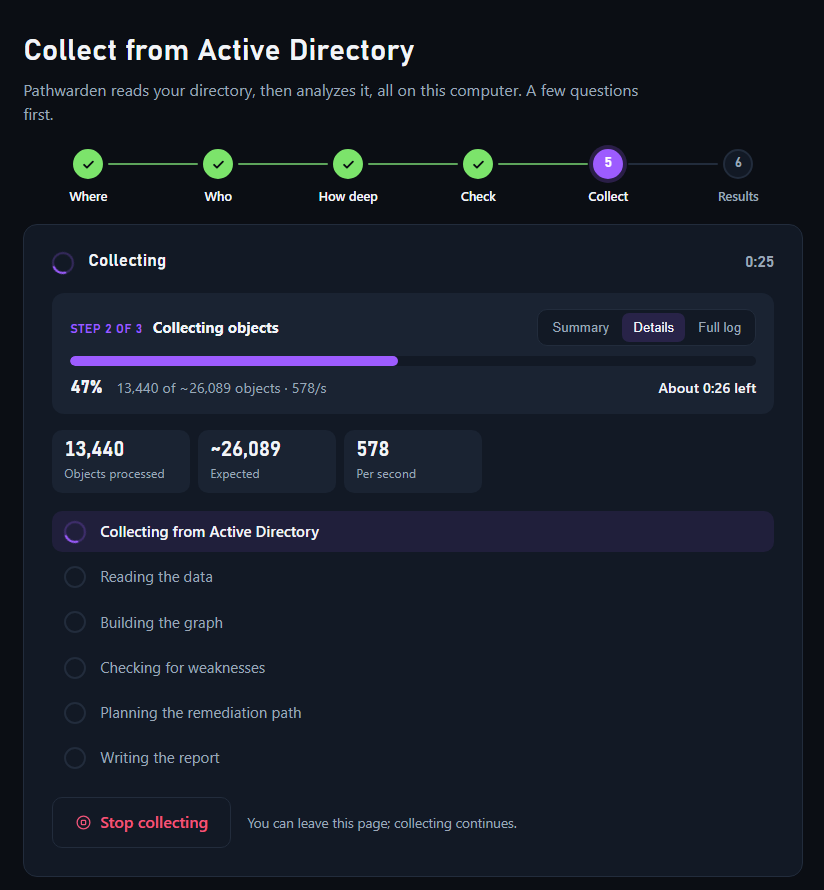
pathwarden ui opens a local web app on your own computer: collect from Active Directory with a wizard*, upload a collection, watch the analysis, read and explore the report, retest findings, define Privilege Zones, accept risks, set each rule's severity and set up the nightly schedule.
- Local only: it listens on 127.0.0.1, behind a link that works once. On Windows, the full release opens it in its own desktop window*, with no network port.
- Same analysis and the same report as the command line.
- One history shared with scheduled runs and, through a git repository*, with your team, who can open each other's runs.
Every guide
The full documentation
Generated from the documentation in the Pathwarden repository, so it matches the release this site describes, version 1.0.0-rc.1.
Fix, retest and operate
Beyond Active Directory
Evaluate and contribute
Learn the concepts
Very new and undergoing testing. These features haven't received a lot of testing yet. Try them out and let us know what's working.