

Start here
Getting started
On this page
Install Pathwarden, try the demo, collect your domain, read the report and schedule runs.
1. Install
Pathwarden is one executable. The full variant collects from your domain itself; the lean one analyzes SharpHound or RustHound-CE files.
- On Windows, download a zip from the releases page and verify it. The executables aren't Authenticode-signed, so SmartScreen may warn.
- Unzip
pathwarden.exeanywhere. The ServiceNow and Jira plugins go next to it.
On Linux, build from source.
2. Try the demo
The demo is SCALE.LOCAL, a made-up company of 10,000 computers and 15,000 users, with five runs a week apart.
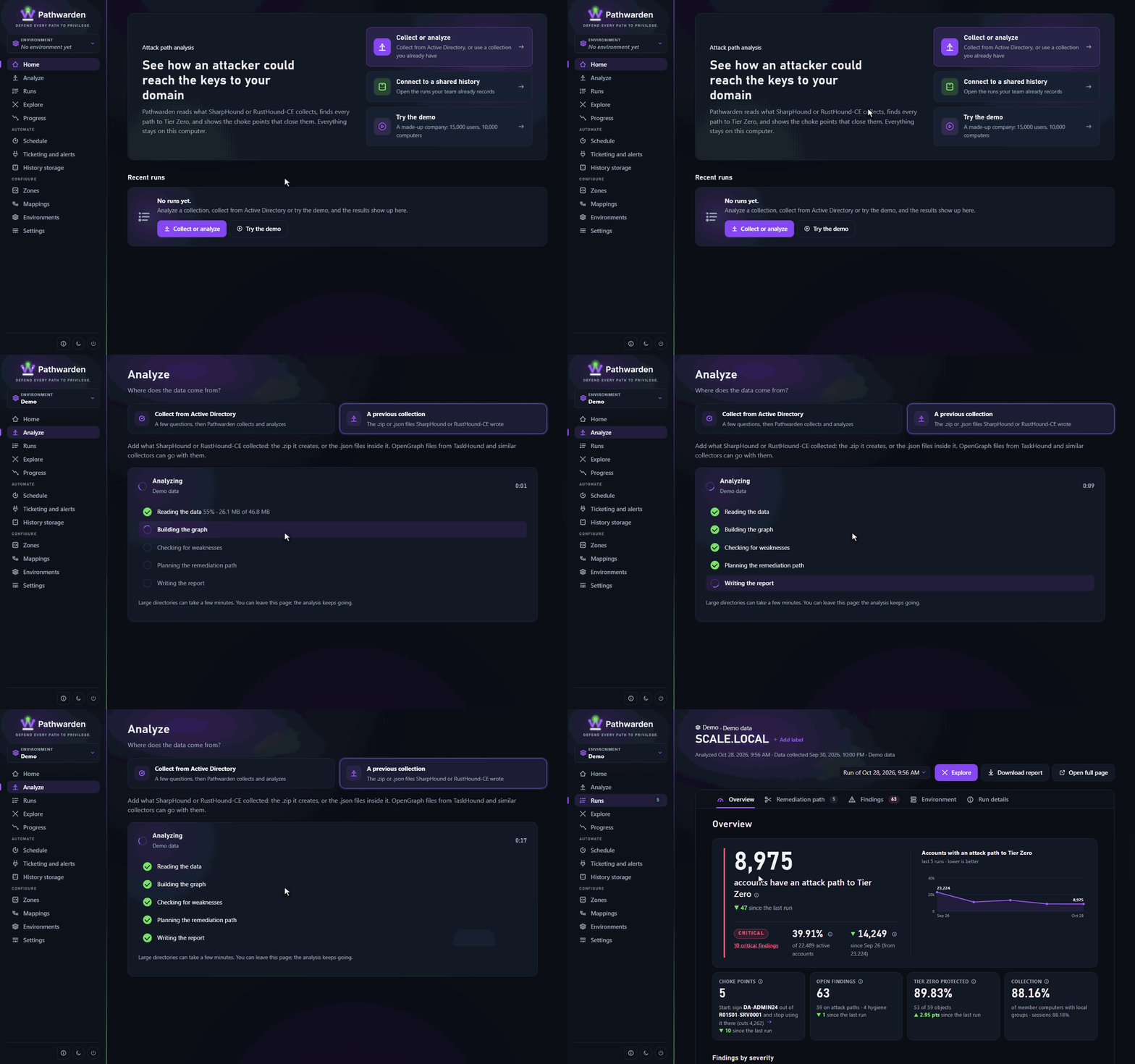
In the app
- Run
pathwarden ui. - On Home, click Try the demo.
- Wait for the analysis to finish. The run page opens on Overview.
On the command line
pathwarden demo -o demo-report.html-i demo: reads the demo collection in any command.
3. Collect your domain
Only collect from environments you're authorized to assess. A collection is a map of your domain for an attacker: store it like credentials and delete it after analysis.
Follow Collect from Active Directory, or, for files SharpHound or RustHound-CE wrote, Analyze a collection. Ports, accounts and what each method sees are in Collecting.
4. Read the report
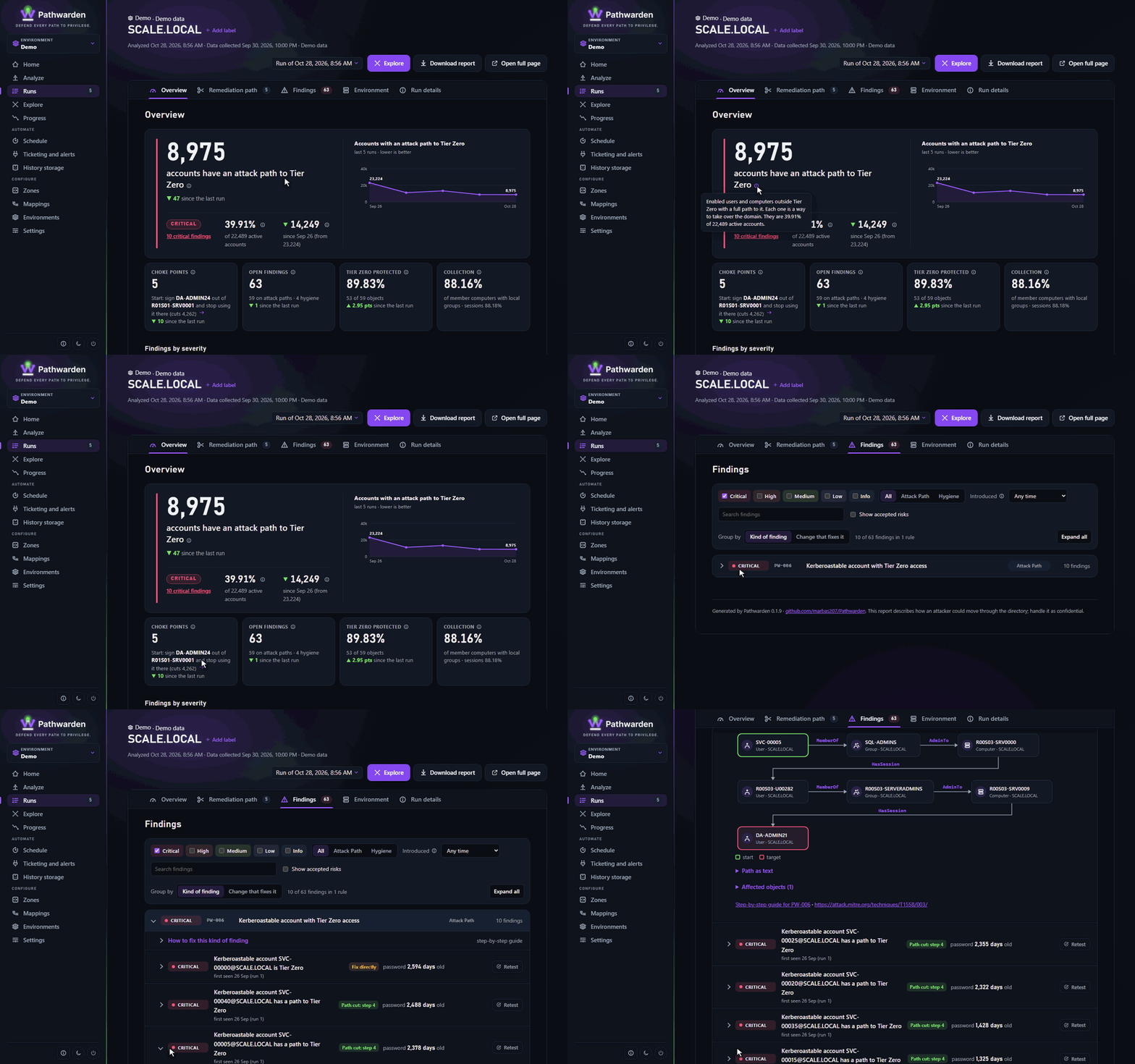
| Tab | What it shows |
|---|---|
| Overview | How many accounts have an attack path to Tier Zero, Tier Zero's status, and What changed since the last run. |
| Remediation path | The smallest set of changes that cuts every path, most effective first. |
| Findings | Every finding by rule, with its attack path and a step-by-step guide. |
| Collection | Privilege Zones, collection completeness, trusts and data sources. |
Click the ⓘ beside a number for what it means. If the Collection card shows few computers with sessions or local groups, paths through them are missing: run a Full collection.
On the command line: pathwarden posture, findings, plan and `report
-o report.html, each with -i` and the collection.
5. Schedule runs
Follow Schedule nightly runs. Each run tracks findings (new, fixed, back) in a run history and can open tickets in ServiceNow or Jira. To open a run history teammates already record, click Connect to a run history on Home.
Generated from docs/getting-started.md in the Pathwarden repository, version 1.0.0-rc.1.