

Fix, retest and operate
Output plugins
On this page
pathwarden run hands each run's results to output plugins: tickets, chat
alerts, SIEM, email or anything you write. The
ServiceNow and
Jira plugins ship with
Pathwarden. For tools that import files instead, see
Tickets and integrations: SARIF, DefectDojo, Jira, PingCastle.
Set up a plugin
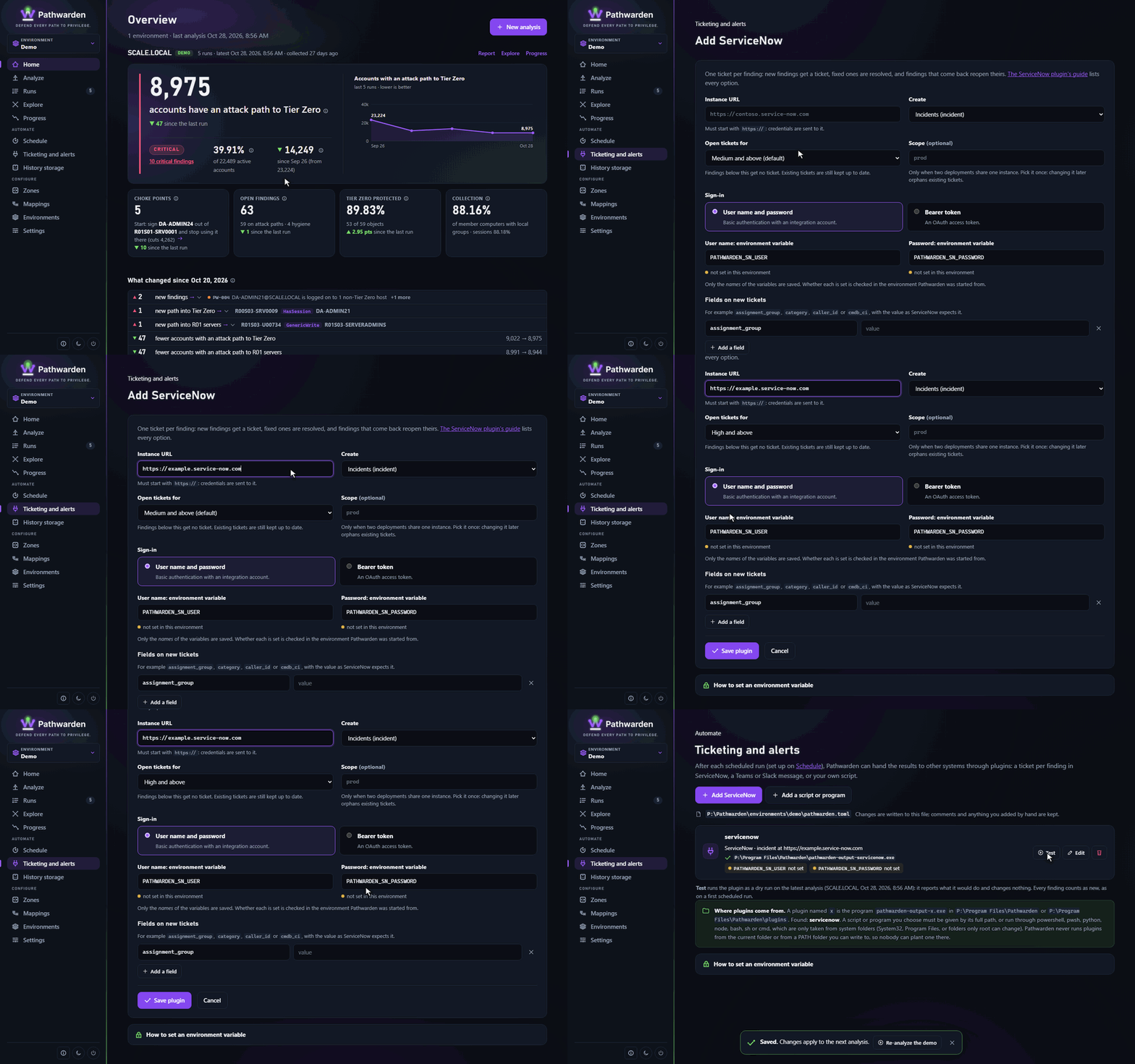
In the app
- In the rail, under Automate, click Ticketing and alerts.
- Click Add ServiceNow, Add Jira, or Add a script or program.
- Fill in the form and click Save plugin.
- Click Test to run the plugin as a dry run on the latest analysis.
The ServiceNow and Jira forms have Safety limits: the most new tickets one run may open (default 100) and the most open tickets one run may close, as a percentage (default 50). A run that would go over a limit does none of those creates or closes and says why, so a first run on a big domain or a collection that missed a domain can't flood or empty the queue.
Adding a script or program in the app, or setting a plugin's instance,
allow_insecure_http or environment variables, needs `pathwarden ui
--allow-plugin-commands`. Without it, the page can change a plugin's other
settings. The page saves only the names of environment variables, never
their values.
On the command line
Each plugin is an [[output]] block in pathwarden.toml:
[[output]]
plugin = "servicenow"                    # runs pathwarden-output-servicenow
instance = "https://example.service-now.com"
table = "incident"

[[output]]
plugin = "teams"                         # your own script
command = ["powershell", "-NoProfile", "-File", "C:\\Pathwarden\\plugins\\teams.ps1"]
webhook_env = "PATHWARDEN_TEAMS_WEBHOOK"
pathwarden plugins list|add|remove|test edits the same blocks.
- Without
command, Pathwarden runspathwarden-output-<plugin>from its own folder or apluginsfolder beside it, never fromPATH. commandmust be an absolute path, or an interpreter (powershell,pwsh,python,bashand others) found in a folder only administrators can change. A script it names needs its full path too: a plugin starts in a private folder of its own (%LOCALAPPDATA%\Pathwarden\plugin-work), not the current folder. A network path or mapped network drive is refused.timeout_seconds(default 600) stops a plugin and everything it started.- Every other key is the plugin's own setting.
- Keep secrets in environment variables named by keys ending in
_env. A plugin gets only those variables and the basics (PATH, the temporary folder, the profile folders and the proxy variables), not Pathwarden's whole environment. Pathwarden's own secrets (the history passphrase, the evidence signing key, the collection password) can't be named. pathwarden run --no-outputsskips all plugins.
More: pathwarden plugins --help.
Writing a plugin
A plugin is a program in any language. It gets:
- the event document (
pathwarden.event.v1) as JSON on stdin; - its settings as JSON in
PATHWARDEN_OUTPUT_SETTINGS, and its name inPATHWARDEN_OUTPUT_NAME.
It writes lines to stdout and stderr, and exits 0 on success. Plugins run
once per run, after the run history is saved, so reconcile with the target
system by finding ID instead of trusting that the last run's plugin worked.
When dry_run is true in its settings, it must change nothing.
The event's main parts:
{
  "schema": "pathwarden.event.v1",
  "run": { "run_id": "20261009T021540.231Z", "domains": ["SCALE.LOCAL"] },
  "findings": [
    { "change": "new", "fingerprint": "PW-015-...", "rule": "PW-015",
      "severity": "critical", "title": "...", "remediation": "..." }
  ],
  "resolved": [ { "fingerprint": "PW-003-...", "rule": "PW-003" } ],
  "held": [ { "fingerprint": "PW-011-...", "rule": "PW-011" } ]
}changeisnew,open,regressed(back) orsuppressed(an accepted risk, with who accepted it inaccepted).fingerprintis the finding ID: use it as the key in the target system.heldlists findings the run couldn't check. Leave their tickets open.- Fields are only ever added to
v1.
Every field is in File formats.
To test a plugin, write an event once and feed it in by hand:
pathwarden run -i .\collect --state .\test-state --event event.json --no-outputs --no-push
$env:PATHWARDEN_OUTPUT_SETTINGS = '{"webhook_env":"PATHWARDEN_TEAMS_WEBHOOK"}'
Get-Content event.json -Raw | powershell -NoProfile -File .\plugins\teams.ps1
Generated from docs/plugins.md in the Pathwarden repository, version 1.0.0-rc.1.